

Getting hands on the best email marketing tool can be a tough task. There are a lot of things that you need to take care of. GetResponse is the best email marketing tool that is highly popular for various reasons. Here is a detailed review of it which will help you know about it in a better way.
Top Features of GetResponse
Here are some of the best features of GetResponse:
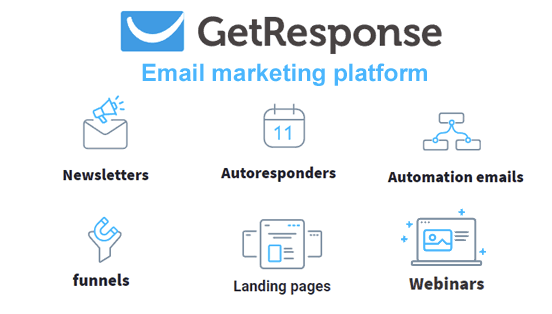
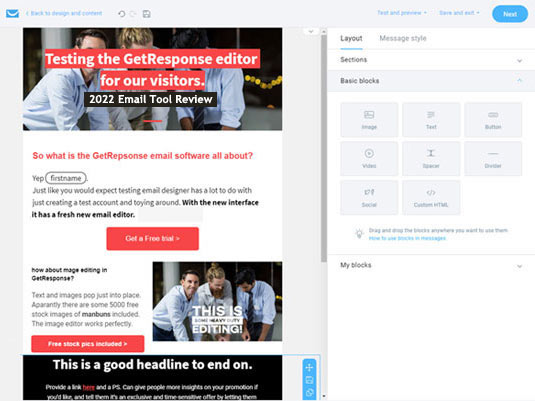
- Drag and drop email editor – The drag content blocks on the canvas and simply edits everything with so much ease. You can even add other elements.
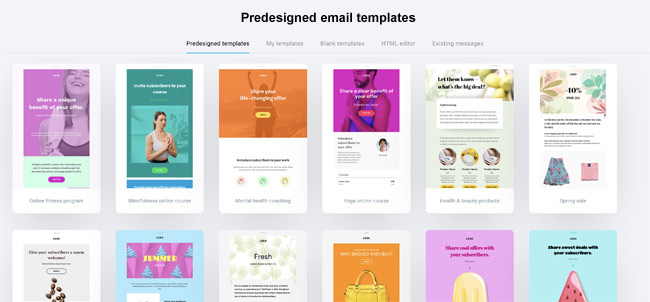
- Email templates – It has 120 plus templates that can be saved for the future, designed in HTML, etc.
- Funnel builder – You can create sign-up as well as sales funnels which allows you to sell as well as grow the email list.
- Email automation – With the help of this feature you can create drip campaigns, triggered emails, and a lot more.
- A/B testing – This feature is highly important as this can be used for emails, as well as landing pages.
- Landing pages – You can build landing pages with the help of a drag-and-drop editor. Also, it allows you to add forms, videos, etc.
- Integrations – You can easily sync your account with any CRM and can make custom integrations with its API or Zapier.
A Detailed Review

- Email marketing
Designing email is an easy process with GetResponse. After creating a free account, you can design the email by clicking on ‘design message’. You will get 120 plus email templates. After picking up any template, you can customize the email in the email builder. Also, in the layout section, you can select the structure as well as the look of the email. After that drag and drop content blocks and you can add images, text, links, etc.
- Email automation
Its autoresponders are the main blocks of automation. You can simply create the email like newsletter designs and you can later trigger it to be sent as an autoresponder. This allows you have timely email delivery. Plus, you can decide the time and date of sending emails.
Marketing Automation Tools
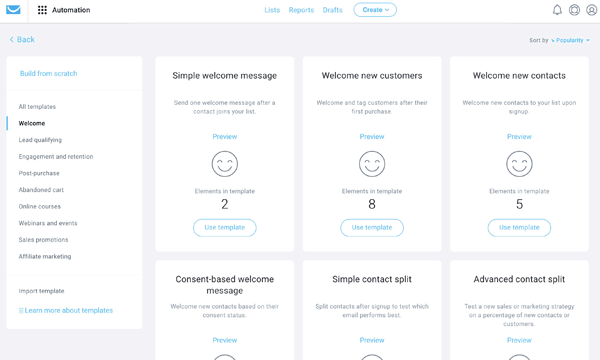
The automation works of GetResponse are amazing. It has an automation menu and navigation bar. The automation editor has various conditions and actions which allow you the freedom of sending many emails as well conditions.

Automation workflows
With GetResponse you can create various automation workflows like lead qualification, affiliate marketing, abandoned cart triggers, sales promotions, etc.
Funnel builder
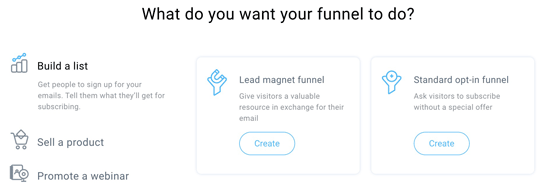
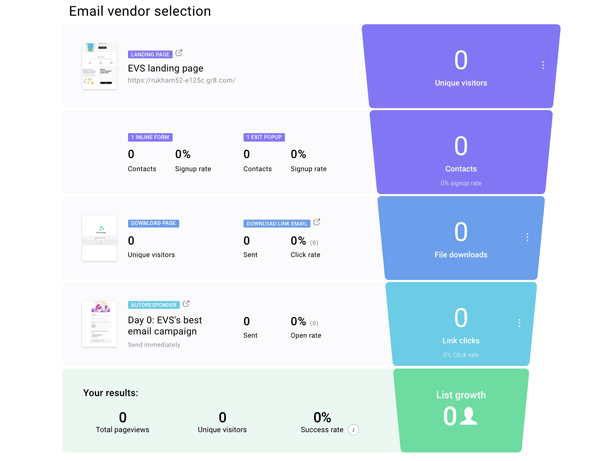
This is another feature that defines the steps in a marketing campaign including forms, emails, landing pages, etc. This starts by asking in case you want to sell products, promote a webinar, get leads, etc. You can start with a new lead magnet or can use the templates GetResponse offers. The process of building a funnel is easy to follow.
Website Builder
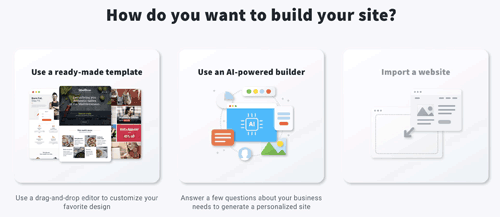
This is a feature added by GetResponse. It allows building a website with the templates of the AI-powered builder. However, you need to answer some questions and automatically your personalized site will be generated. There are other site building options available as well like widgets, adding logos or images, site colors or themes, etc.
Webinars
GetResponse offers webinars as well and it is simple to set up the webinar. You need to add the title and select the time, date, as well as duration. Later, you can select the contact list and can add autoresponders for registrants after they sign up.

Landing Page Builder
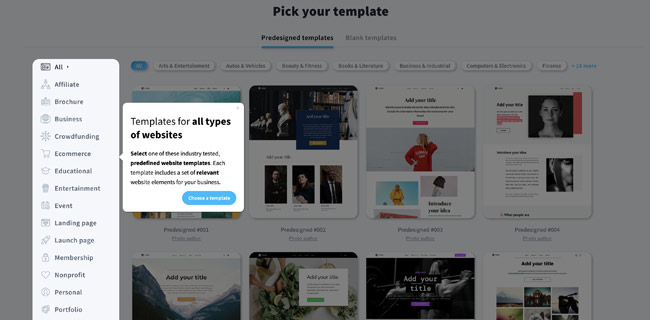
This is included in all plans for free and offers 198 templates. After selecting the landing pages, you can edit and its experience is different than email creator.
GetResponse customer support
The platform offers customer support via live chat and email. Also, their live chat option is available 24/7. There is a complete guide for new users that will help them to improve their email marketing as well as marketing automation.
It is available in 26 languages and its phone support is only available with the Max plan.
Pricing & Plans
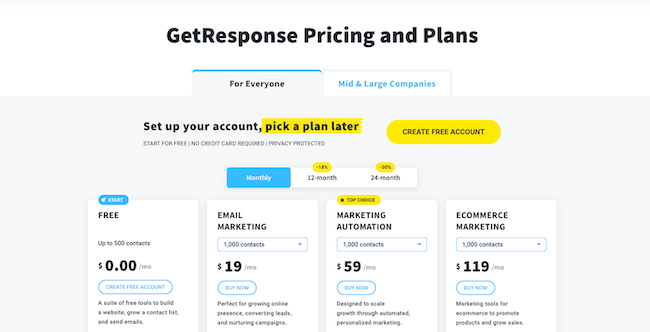
The platform has three plans which are for smaller business email marketing, marketing automation, as well as eCommerce marketing. Its Max and Max 2 are enterprise plans which have advanced marketing features as well as dedicated support. However, the pricing is based on the email list size but its basic email marketing plan starts from $19.
Integrations
The platform offers more than 170 integrations and you can easily connect your account with CRMs, payment getaways, social media apps, landing pages, conversion tools, etc. Also, with GetResponse API you can build your personal integration and can even use Zapier to easily connect.
PROS
- Amazing for scaling and is suitable for small and big businesses
- Landing pages as well as conversion funnels
- Webinar funnels
- Amazing template
- Various marketing automation features
- 24/7 customer support
- One month free trial with no credit card details
CONS
- No money-back guarantee
- The landing page is good but with outdated templates
Final Thoughts: Is it Worth Your Money?
GetResponse is a powerful online marketing software and has good scores which are mentioned below:
- Ease of Use: 4.25 / 5
- Value for Money: 4.25 / 5
- Editor and templates: 3.75 / 5
- Functionalities: 4.5 / 5
- Email Automation: 4 / 5
- Customer service: 4 / 5
- Total score: 4.1 / 5
It has great features, simple to use interface, and is worth your money. However, its landing page builder can be improved but it is a great platform.