
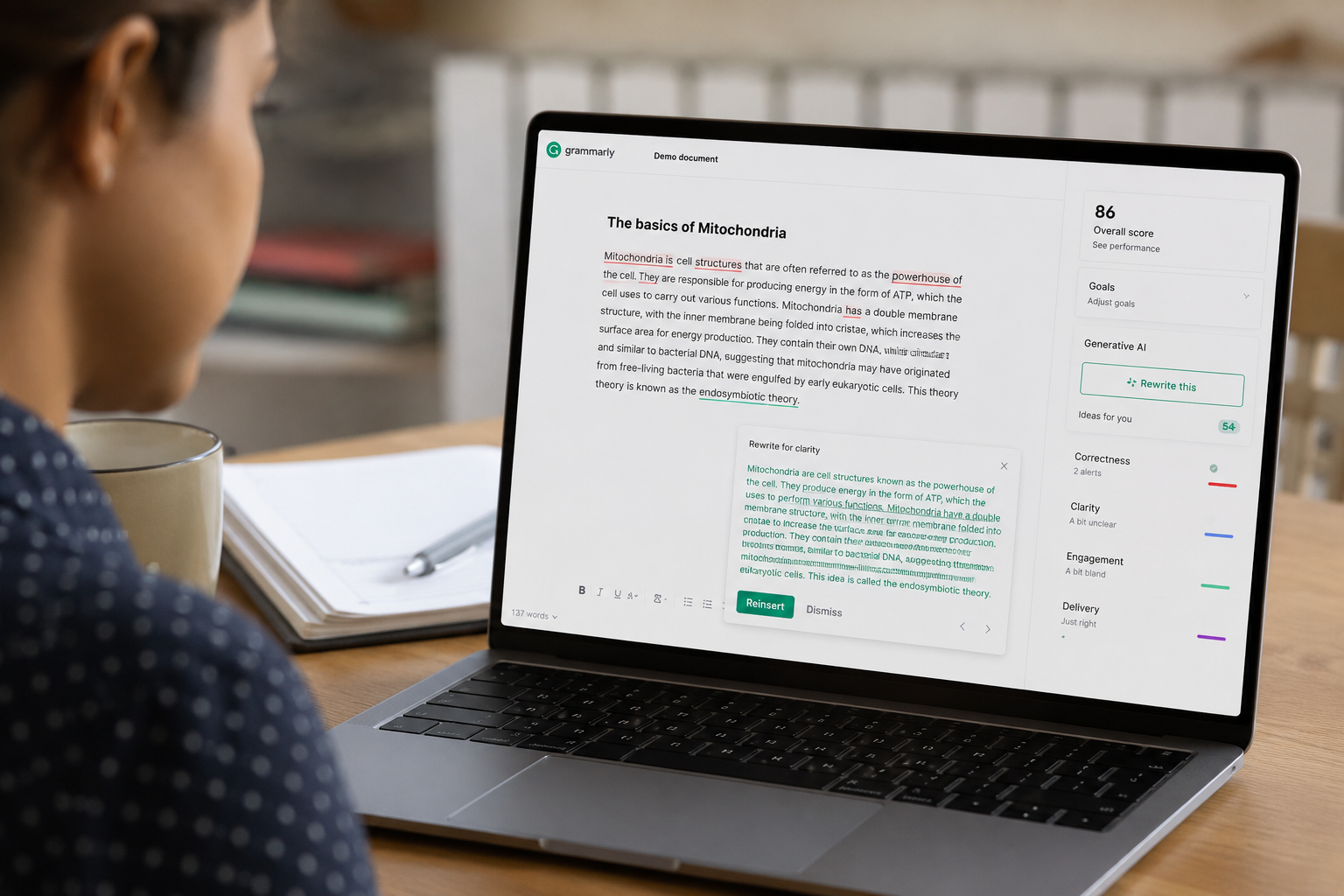
Imagine finishing an email or essay and instantly knowing exactly how it will land. No more guesswork, no more switching tabs or fiddling with awkward prompts. That’s the promise of Grammarly’s AI Agents – a suite of context‑aware writing assistants built right into the apps you already use. Backed by over a decade of Grammarly’s linguistic expertise, these digital helpers actively guide your writing in real time (with no extra prompting required). Whether you’re a student chasing an A, a professional polishing that important report, or anyone in between, Grammarly’s agents are designed to level up your writing.
Each AI Agent is a specialist. They don’t just correct typos – they predict your reader’s reactions, find supporting evidence for your claims, and even tailor your tone to your audience. The result? You write more clearly and confidently, and you keep your unique voice intact. And right now, you can try them with a special 40% off Grammarly Pro offer. Just imagine what you could accomplish with AI at your side!
What Are Grammarly AI Agents?
In simple terms, AI Agents are intelligent helpers that understand what you’re writing and why. Unlike basic grammar checkers or chatbot interfaces, these agents are aware of your context, tools, and goals. Grammarly’s site explains it this way: they’re “digital helpers that assist you in your most important workflows,” offering “substantive, quality feedback” on your writing without any awkward prompt engineering.
Think of them as next-level extensions of Grammarly’s classic suggestions – but far more proactive. For example, instead of copying your draft into a separate AI tool, Grammarly’s agents pop up right in the sidebar while you write. They know your document’s purpose (is it an essay? an email?) and the audience you’re targeting, then act on that information. That means no more switching tabs or forcing the “right” prompt – the help comes to you exactly when you need it.
Grammarly’s press materials highlight this shift from one-size-fits-all prompts to context-aware assistance. As the company says, “when activated, [the agents] take immediate action, eliminating the guesswork of crafting the right prompts,” while you stay in control. In practice, the interface becomes more like a smart co-editor or coach: it listens to what you type and jumps in with suggestions to make it better.
Meet the Agents: Your Writing Team
Each agent specializes in a key aspect of writing. Together, they cover everything from idea sourcing to final polish. Here are the main players:
- Reader Reactions – Worried about how your message will be received? Reader Reactions predicts a target reader’s response before you send. It flags potential confusion, missing questions, or emotional tone issues so you can tweak your draft for maximum impact. For instance, it might tell you that a friendly manager might feel confused by a sentence, or an academic reader might miss the key takeaway. (This is a game-changer for emails and reports.)
- AI Grader – Great news for students: AI Grader gives you an instant “pre-grade” on essays or assignments. You can upload your course rubric and exam details, and it provides feedback aligned to those criteria – even estimating your score . It’s like having a TA peek at your draft, pointing out strengths and areas to improve, before you hit submit.
- Citation Finder – No more late-night Googling for sources. Citation Finder automatically finds credible research to back your claims and formats in-text citations as you write. Just highlight a statement or let it scan your doc, and it will retrieve relevant studies or references in the background. This is a huge help for academic writing, reports, or any piece that needs evidence.
- Proofreader – An evolved spellcheck and grammar checker. The Proofreader agent offers inline suggestions to sharpen clarity, fix grammar, and tighten structure while preserving your voice. Unlike the classic underline, this agent actively explains why a change helps – for example, swapping an awkward phrase for a clearer one. It’s your personal writing partner that keeps you sounding professional.
- Paraphraser – Adapt your message on the fly. Paraphrasers can reframe sentences to fit a specific tone or audience. Want to make a paragraph sound more formal, or trim it down for brevity? This agent adjusts phrasing without losing meaning. It’s great for drafting a quick chat and then polishing it to an executive email, or vice versa.
- Humanizer – Keeps you you. Perhaps the most human of all, the Humanizer agent makes sure even AI-assisted text sounds like you. It tweaks overly generic or mechanical-sounding phrases into more natural, engaging language. If you’re using any AI “write for me” features, Humanizer is key to preserving your unique voice and tone.
(Grammarly also includes an AI Detector and Plagiarism Checker to ensure authenticity and originality, but the above are the core writing helpers. The bottom line: each tool is fine-tuned to a part of the writing process, whether brainstorming, revising, or final editing.)
How It Works: Always-On, Everywhere
One of the biggest perks of Grammarly’s AI Agents is that they plug into what you already use. You don’t have to leap to a new platform. The agents live in the Grammarly ecosystem – whether that’s the Grammarly web editor, desktop app, or browser extension – and soon in a wide range of sites and apps.
For example, if you write in Google Docs or Microsoft Word, Grammarly’s new “Docs” interface makes the agents available as you type. If you’re drafting an email in Gmail or Outlook, the browser extension will bring up suggestions in the sidebar, just like it does for grammar now. Even your smartphone keyboard can get smarter by showing these agents.
The key is: no tab switching, no copy-pasting into a chatbot. As Grammarly’s execs explain, the technology “draws context from documents” and follows you across applications. In practice, that means you install (or update) Grammarly, and the agents quietly monitor your draft. They only activate when you ask them to or when you hit a prompt in the sidebar.
As one reviewer put it, “you just install it and it just works, and it just shows up in the right ways and in the right moments”. In other words, think of Grammarly as an always-on AI assistant sitting next to you on your screen – completely unobtrusive until needed. This seamless integration is a huge leap from the old way of treating AI as a separate tool.
Who Benefits? Students, Professionals, Everyone!
Grammarly’s new agents have something for everyone. Here’s how different people can hook in:
- Students: Writing a research paper or lab report? AI Grader and Citation Finder are your new best friends. AI Grader helps you check whether your essay hits all rubric points and even predicts the grade, so you can revise before submitting. Citation Finder automatically pulls credible sources and formats bibliographies, saving hours of work. Meanwhile, the Proofreader flags grammar and style issues, and the Humanizer ensures your writing still sounds like you. All together, these tools turn a frantic study session into a more confident, well-organized drafting process.
- Professionals: Preparing a pitch deck, proposal, or email blast? Reader Reactions shines here. Before you send that important email, run it through the agent to see if your manager or client will misunderstand anything. It might suggest clarifications for a technical point or a softer tone for feedback. The Proofreader and Paraphraser then tighten up your language, making you sound polished and credible. Even marketing copy gets a boost: try Humanizer to make sure your brand voice stays authentic, or use Paraphraser to switch between formal press releases and casual social posts seamlessly.
- Everyone: Whether you’re writing a blog post, social media update, or just chatting with colleagues, Grammarly’s agents make writing easier. They help you write more clearly, more confidently, and more like yourself. If English isn’t your first language, these tools adapt your phrasing for idiomatic correctness. If you tend to overwrite, the Concise agent (one of the eight specialized agents) will trim the fat. The net effect is that everyday writing – from text messages to resumes – becomes faster and less stressful. And because Grammarly’s suggestions are built on a huge corpus of writing knowledge (over a decade of it), you get expert guidance at every step.
No matter your use case, Grammarly’s overarching promise is consistency and convenience. For students, it’s about developing good habits (while saving time). For professionals, it’s about maintaining a sharp personal brand. For all users, it means never second-guessing your message’s impact or accuracy.
Why It Matters
You might wonder: don’t other AI writing tools do this? True, AI editors are everywhere now. But Grammarly’s agents stand out by working proactively and respecting your voice. They’re not chatbots you have to feed a prompt; they’re assistants that pull from what you’ve already written and where you’re writing it. In practice, that eliminates the usual “prompt-engineering” hassle. Grammarly’s team emphasizes that users can stay “in control of their work while receiving intelligent support tailored to their goals”.
Additionally, Grammarly has over 10 years of data and AI research powering these agents. This isn’t an experiment – it’s the culmination of refining language models, grammar rules, and user feedback. The result feels less like raw AI and more like a co-worker who really knows your style. In fact, one user said the agents “feel more human than raw AI chats” and highlighted the context-aware nature of Grammarly. (This means you get help that sounds natural, not robotic or out of the blue.)
Because the agents integrate with so many apps, they also reduce friction in your workflow. No more juggling between a writing document and an external AI site. No more cutting and pasting text into ChatGPT or hunting down references manually. Grammarly’s AI agents are designed to give you that support without adding extra steps – you just write, and the tools follow, waiting to lend a hand.
Finally, it’s worth noting that Grammarly cares about trust and privacy too. These agents don’t secretly store your drafts or train on your personal data. By default, any text you write is not retained beyond your session. You do have options like a personalized “voice profile” (where you can voluntarily upload writing samples), but otherwise the AI only sees your words to help you right in the moment. This way, you can feel confident using the tool even for sensitive writing.
Try It Now – 40% Off Limited Time
Ready to see what all the buzz is about? For a limited time, Grammarly is offering 40% off annual premium plans, which unlock all these AI Agents (plus the full suite of Grammarly’s advanced writing features). This is your chance to write better with AI that feels natural.
- Get 40% off Grammarly — AI writing just got smarter.
- Unlock Grammarly AI Agents: 40% off annual plans, limited time.
- Write better with AI — 40% off ending soon.
Simply follow the link above to activate your discount and start using the agents in Google Docs, email, your browser—wherever you write. No matter your goals (students aiming for top grades, professionals seeking clear communication, or anyone wanting to express themselves better), these AI Agents can help you achieve them faster.
Tip: If you’re a student, try writing your draft and then ask the AI Grader for feedback. If you’re a professional, draft that email and see what Reader Reactions says. You might be amazed at how many small improvements these tools catch. All with the confidence of Grammarly’s decades of expertise backing every suggestion.
Grammarly’s AI Agents are more than just new features – they’re a shift in how we write and revise. They anticipate your needs, suggest improvements, and do it all in the flow of your own typing. With the extra 40% off deal, now is the perfect time to give them a try. Write with confidence, clarity, and your own authentic voice – try Grammarly’s AI Agents today!