

With a full suite of eCommerce functionality and other advantages, Shopify is a specialized eCommerce platform that stands out from the market for online shop builders. A gift-card system, omnichannel sales, social media integration, and a blog and mobile app builder are just a few of the sophisticated marketing capabilities that are included with it.
Review Summary & Ratings
About Shopify?
Shopify is an all-inclusive eCommerce platform that enables regular individuals to create their own online store and sell their goods through various channels. Simple steps like creating an account and editing an existing template can be taken to launch a Shopify store.
How does It Work?
Shopify is mostly a website builder. This core tool, on which Shopify is built, provides a graphic user interface (GUI)-driven approach to website creation. No further coding expertise is required. The Shopify web servers are also used to host websites that were created utilizing their site builder.
PROS
- Different sales channels
- Buy Button option
- Supports over 100 payment processors
- Incredible website performance
- One can sell digital and physical products
- Shopify POS integration
- Rich self-help documentation
- Effective add-on to scale up
CONS
- Customization is but rigid
- Advanced features & apps cost a bomb
- Email hosting is not available
Why Shopify Is Our First Choice for an Online Store Builder?
What is a Buy Button on Shopify?
The Shopify Buy Button is a quick way to complete your transaction. You can add a checkout and embed any product using this functionality on your website. This allows customers to access the merchant’s product directly from any website page where they see the buy button.
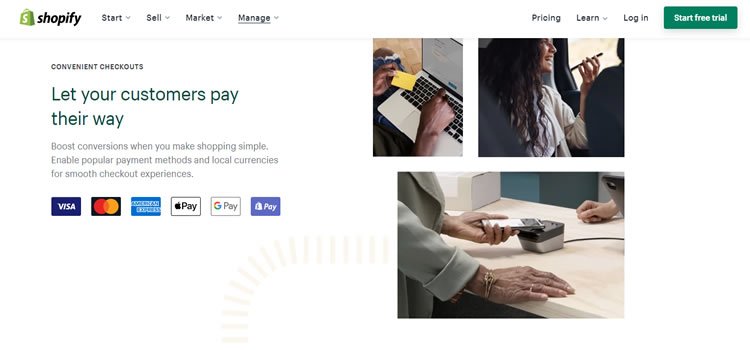
100+ Payment Processors are supported
When you build on the Shopify platform, accepting payments from your online store is no longer a problem. Shopify makes it simple for store owners to receive payment through integration with third-party payment gateways and Shopify Payments.
Standard Plans & Pricing for Shopify
Their entry-level basic plan costs $29, which is expensive for hosting or a website builder. However, all Shopify plans have eCommerce functionality, so in addition to the basic builder, you also receive a wide selection of related tools.
This comprises:
- There are countless goods.
- endless file storage
- the capacity to offer digital goods
- Website and blog section manual order creation
- reduced shipping labels
- if necessary, retail packaging (with additional charges)
- Utilize social media to make sales (Facebook, Pinterest, etc)
PayPal Payments
Go to Settings > Payments > Accept Payments to set up Shopify Payments. If you use Shopify Payments to handle all of your sales, your transaction fees can be waived to 0%.
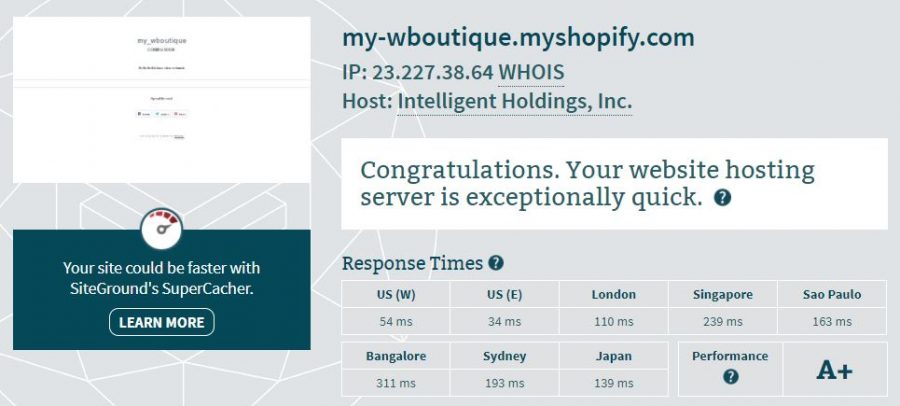
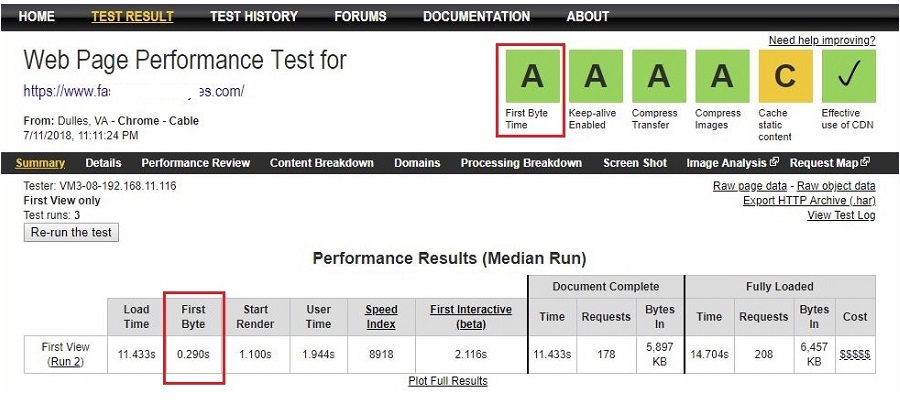
Very fast website performance
Most of us won’t want to wait in lines for more than 15 minutes when we’re shopping (unless it’s absolutely necessary). Similar to this, at least 50% of customers are unlikely to visit a website again if it loads slowly or makes them wait while they check out.
You don’t want to lose out on 50% of your potential sales, which is why an online company needs to have a top-notch site performance. On a Shopify website, I performed a few performance tests, and the outcomes were excellent.
What products are available on Shopify?
Both physical and digital goods are supported by Shopify. You may sell anything from stock photographs to video footage, music, and sound effects through your Shopify store. Consider the website EditStock, which offers rights for students to utilize its stock video in their own demo reels.
In general, Shopify allows you to sell the majority of family-friendly goods. Shopify offers support for a wide variety of eCommerce businesses and gives you the ability to manage any kind of product, including drop-shipping and the sale of your own digital or physical goods.
Shopify’s physical product sales
The first step after setting up your business is to add items that you have an inventory of to sell physical goods. Log in to your Shopify Dashboard, click on “Products,” and then choose “Add Product” to accomplish this. For your store, the Add Product screen is a highly useful tool.
Using Shopify for dropshipping
Dropshipping is an additional means of adding products. You must go to the Shopify Market and pick a dropshipping application like Oberlo. This allows you to browse and add products directly from the app UI.
Shopify’s digital product sales
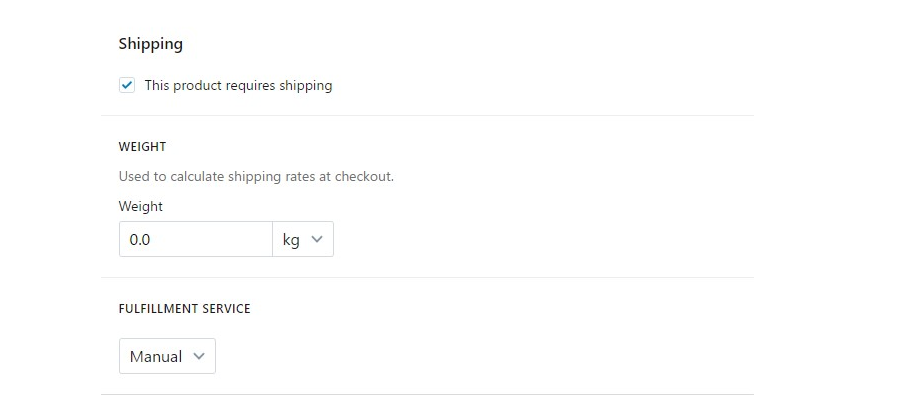
You can make it clear that you only sell digital goods and services by unchecking the shipping button when you add a product to your store.
You can post and sell downloaded digital goods like digital artwork, videos, audio clips, or non-fungible tokens (NFTs) with the free Digital Downloads app from Shopify.
POS Shopify
Have a physical store and want to increase your presence there? Use Shopify’s POS (Point-of-Sale) technology to your advantage. The data will then be transferred between the POS and your online store after you connect Shopify POS into your physical business. You may manage your sales, inventory, customer information, etc. both online and offline with the Shopify POS system.
What Do We Dislike About Shopify?
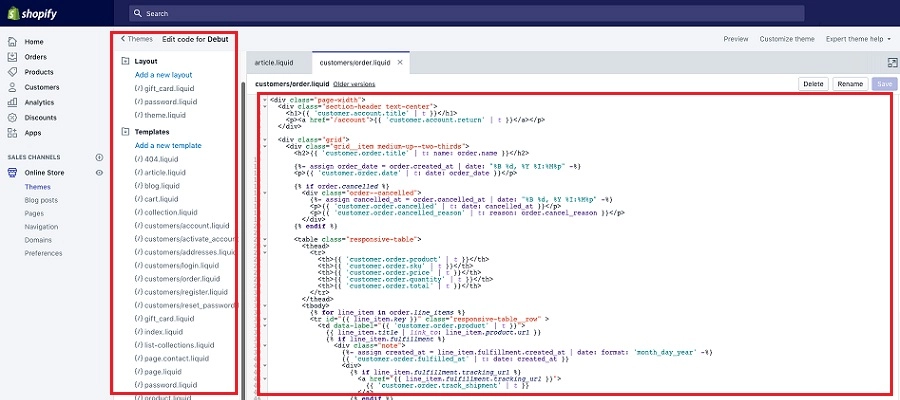
Theme customization using your own PHP language
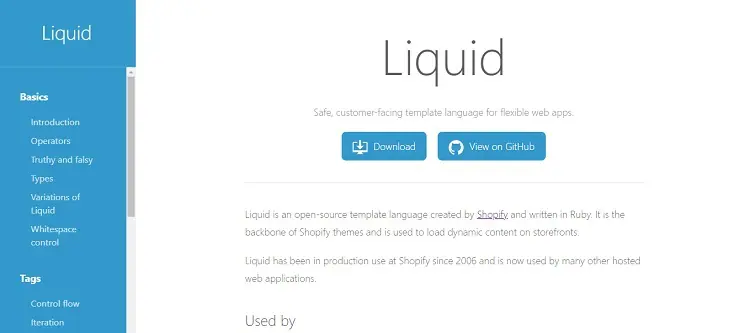
The Shopify platform employs a PHP dialect they created themselves called “Liquid.”
This format is used to code all themes. It makes theme customization more difficult unless you are proficient in Liquid coding or ready to pay a developer experienced in creating Shopify themes.
Although Liquid is described as an easy-to-learn language in several developer assessments of Shopify, I don’t feel comfortable tinkering with the code.
Cost Surcharge for Advanced Apps and Features
The basic minimum of functionality required to start an online business are included with the Shopify Basic plan (more about Shopify plans & pricing). Only higher-tier contracts include advanced services including reports, fraud analysis, gift cards, and real-time delivery rates.
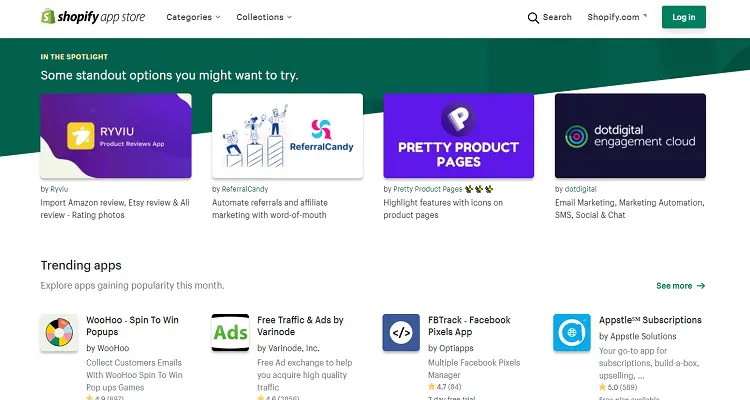
Additionally, even though the Shopify app store has a ton of valuable add-ons, many of them are not free. The Exit Offers app, for instance, costs $9.99 per month, and QuickBooks Connector is $25 per month. If you need the Retarget App, you might have to pay an extra $15 each month.
Plans & Pricing
When contrasting Shopify Lite to Shopify Basic, there are considerable differences in terms of both cost and features. Both were developed for particular user groups to assist folks with different needs in accurately resolving pain areas.
Shopify Basic starts at $29 and serves as the entry point for all other regular plans offered by Shopify. Some people might find this price to be a little excessive. Additionally, it presupposes that you require a fully-featured eCommerce website with all the trimmings.
Basic Features of Shopify
It’s a good idea to keep in mind that even if Shopify is an eCommerce store designer, some developers may nonetheless use it to create one on behalf of clients. It takes a little more information to sign up than I’m used to, but I suppose an online store benefits from collecting a lot of this data up front.
A few free themes are offered, but much like BigCommerce, there are many premium (expensive) themes available as well as the option to create and upload your own. The emphasis is still very much on sales, and I believe Shopify has excelled in this area. Shopify integrates well with third parties like different online tool providers.
Shopify Alternatives
Although Shopify is a fantastic eCommerce option, it is by no means flawless. Despite a great future, some people are looking for Shopify alternatives because of things like pricing, functionality, or even suitability.
Big Commerce & WooCommerce
web design platforms: Wix, Weebly, and Zyro
Hosting companies with a long history: A2 Hosting, Cloudways, and InMotion Hosting
How to Begin with Shopify
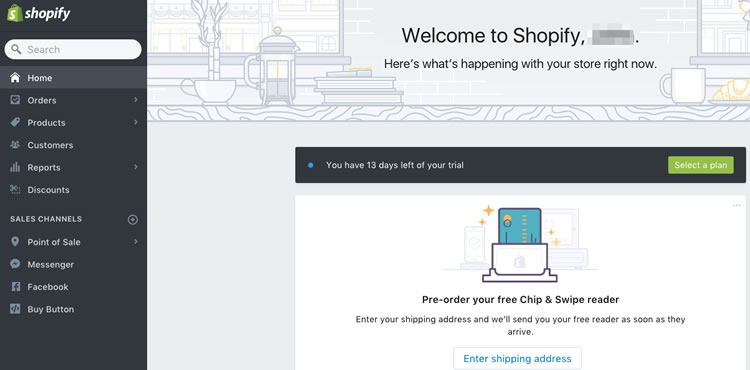
It’s acceptable to have a risk-averse attitude. Before trying something out, no one is willing to invest. Shopify provides a 14-day trial because of this. You don’t even need to enter your credit card information because using it is totally free.
Final Thoughts
No matter if you already operate a physical business or are just getting started with an online store, Shopify might be the best option for you. While there may be difficulties along the way, investing in a Shopify online store is absolutely worthwhile (time and money).